Page quality
SEO score, readability, content length, and heading structure so weak pages are obvious.
This is an offline copy of the install guide. The extension is free, open source, and does not require email signup.
Quick benchmark target: audit your homepage, one service page, and one location page before making edits.
SEO score, readability, content length, and heading structure so weak pages are obvious.
Schema presence, internal links, and image-alt coverage to reduce hidden SEO issues.
Crawl output by URL so you can track improvements page by page after each round of edits.
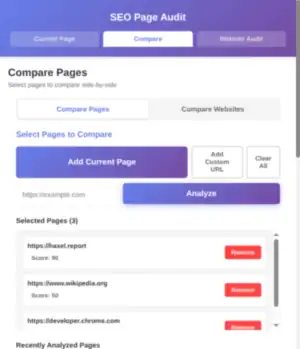
Compare tab with custom URLs loaded.
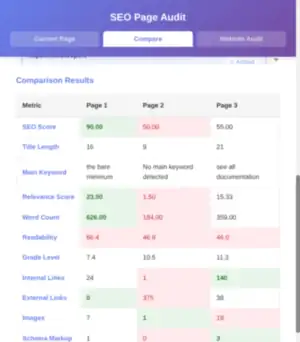
Metrics table across multiple pages.
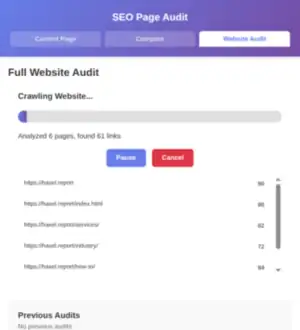
Live crawl output by page.
If links fail in your local copy, open haxel.report/freebies for the live page.